


dotfiles
These are my dotfiles. They are awesome.
This repo contains my dotfiles which I use at macOS, FreeBSD and Linux systems. This set features a nice and fast zsh config, a neat vim environment and a tmux config.
The workstation realted stuff is mostly tested on macOS. Especially the key bindings may be not portable at the moment.
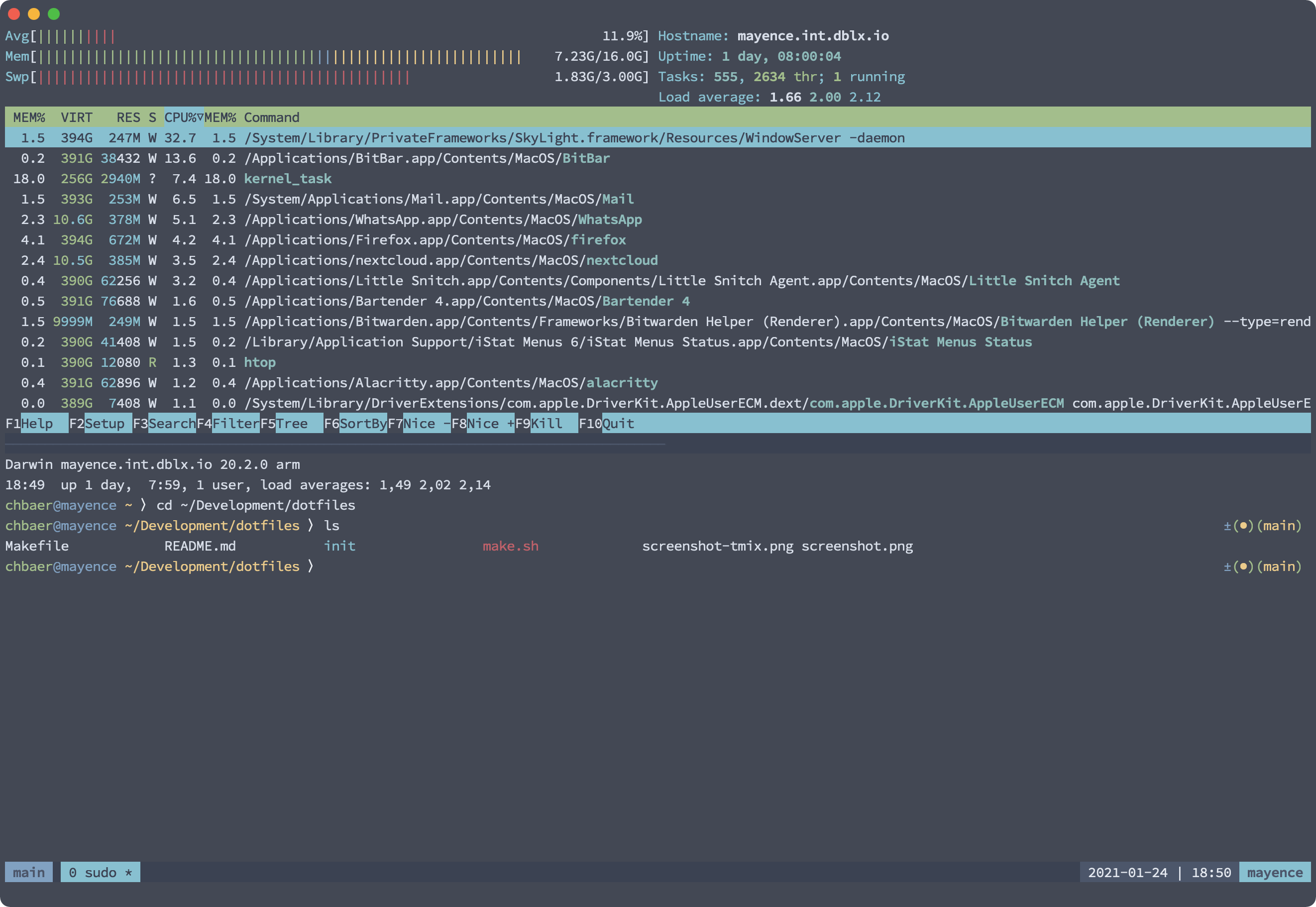
The zsh prompt is handcrafted to look neat and provide some extra info. When you are root the user- and hostname color changes from blue to red. If you are connected via ssh, the prompt will show some green arrows behind the working path and when you are in a git repository, it will show some git infos at the right side.
The tmux config contains some nice settings to make my work a bit easier and look nice.
My color scheme is the awesome Nord Color scheme by Arctic Ice Studio and my font is FiraCode Source Code Pro.
The repo ships with a Makefile that you can use to deploy and update the dotfiles.
# make help
help                           This help
all                            Update repo and run deploy-macos
install                        Update repo and run deploy-base
deploy-base                    Only deploy basic conf files for shell usage (eza, tmux, vim, zsh, ssh, hushlogin, git, htop)
deploy-workstation             Deploy platform-independent workstation config files (inherits deploy-base)
deploy-macos                   Deploy macOS specific config files (inherits deploy-workstation)
gen-vscode-extension-list      Update the list of VSCode extensions
git-fetch                      Fetch changes from origin
git-push                       Push changes to origin
git-update-submodules          Update all submodules
brew-bundle                    Install applications with brew bundle
brew-bundle-cleanup            Remove all applications that are not listed in Brewfile
deploy-eza                     Deploy eza config
deploy-htop                    Deploy htop config
deploy-tmux                    Deploy tmux config
deploy-vim                     Deploy vim config
deploy-vscode                  Deploy VSCode config
deploy-aerospace               Deploy Aerospace config
deploy-ghostty                 Deploy Ghostty config
deploy-git                     Deploy Git config
deploy-karabiner               Deploy Karabiner config
deploy-zsh                     Deploy zsh config
deploy-brewfile                Deploy Brewfile
deploy-ssh                     Deploy SSH config
deploy-hushlogin               Deploy .hushlogin
The dotfiles will be copied to your ~.
ZSH with bells and whistles
The ZSH config doesn’t use any frameworks and is tuned for speed.
The config delivers some nice extra functions.
extract()
extract can be run with extract to extract archives in any given formats.
It utilizes [zsh_unplugged(]https://github.com/mattmc3/zsh_unplugged) for downloading plugins and the small amount of plugins is carefully picked.
tmux config
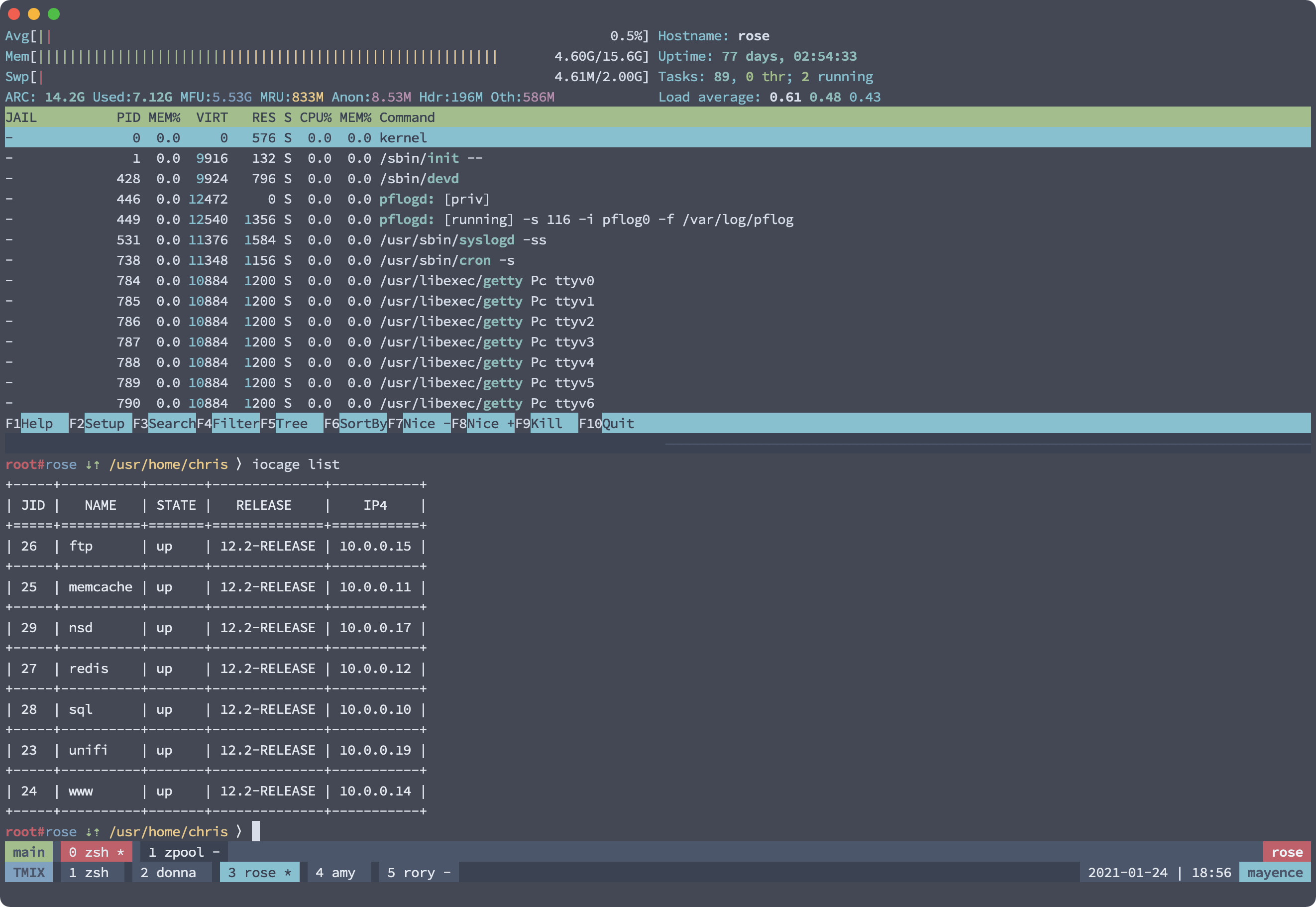
The tmux config rebinds the prefix key to C-a. It features different shortcuts to make my life easier (e.g. "C-a -„ for splitting the window horizontally.)
It also supports nested sessions with a modified color scheme. That’s nice when using tmix.
Karabiner Elements
- Map Capslock to CTRl+OPT+CMD
- Map Capslock+Shift to CTRl+OPT+CMD+Shift
- Display start of Music on Play/Pause button and toggle playpause only in Spotify when it's running
Aerospace
Shortcuts
Installation
### Getting the dotfiles.
git clone https://github.com/chrisb86/dotfiles.git
Deploying the dotfiles
For installing the base set for shell usage run
make install
For the fullfl edged setup with decrypting of the secrets use
make install
To list all avaliable commands run:
make help